Make a free booking page for your meetings
Glowful is a free booking page maker. Share one link and people book a time without making an account.
Create your pageIntro call
Select a date and time
September 2026
How do I make a booking page?
Sign in with Google or an email code
Your booking page is made the moment you sign in, named after your account and set to your time zone. You can rename it later in Settings.
Add what people can book
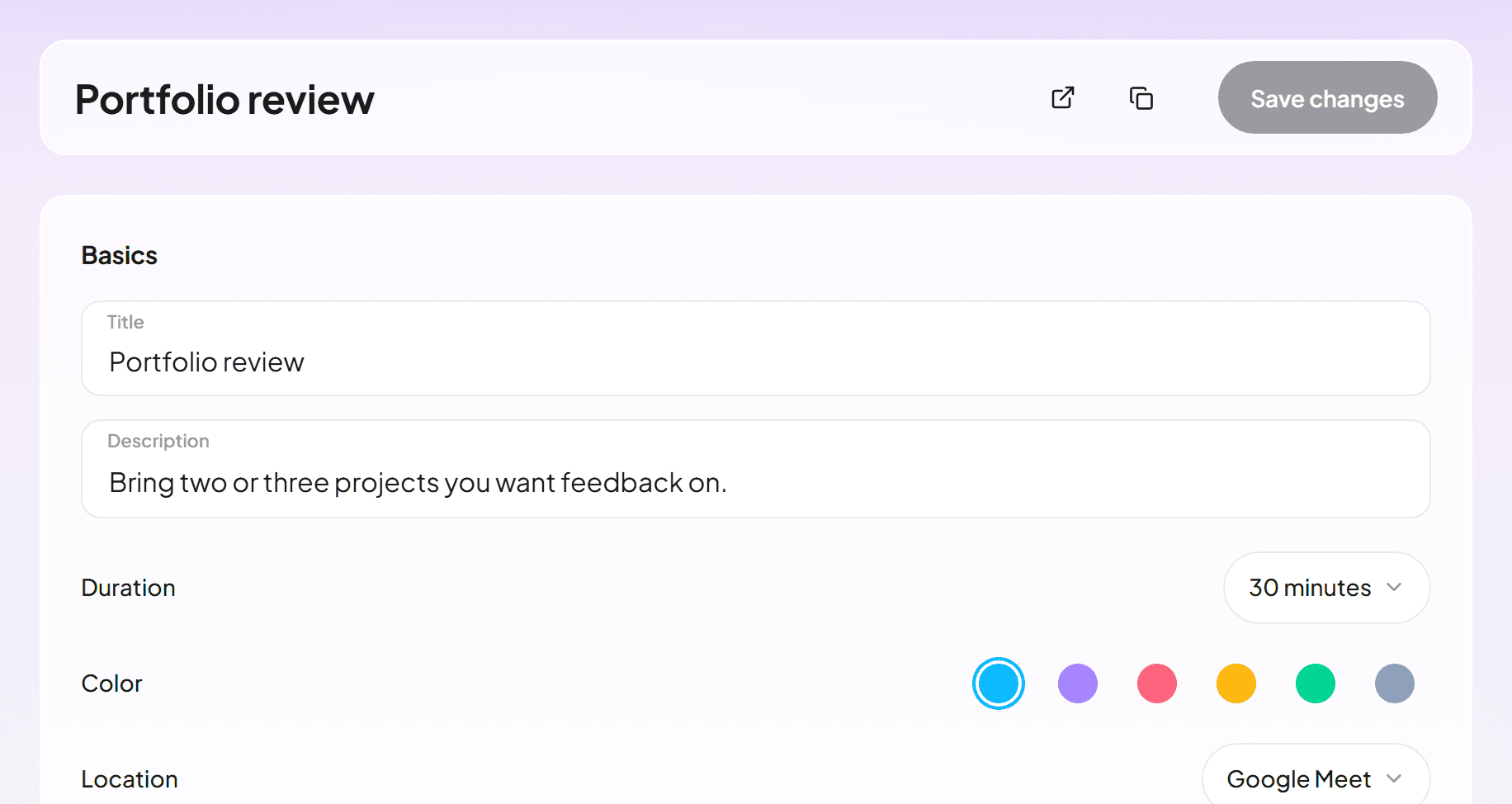
Create an event type with a title and a length from 5 to 720 minutes. Then pick where you meet: Google Meet, a phone call, an address or your own video link.
Copy your link and send it
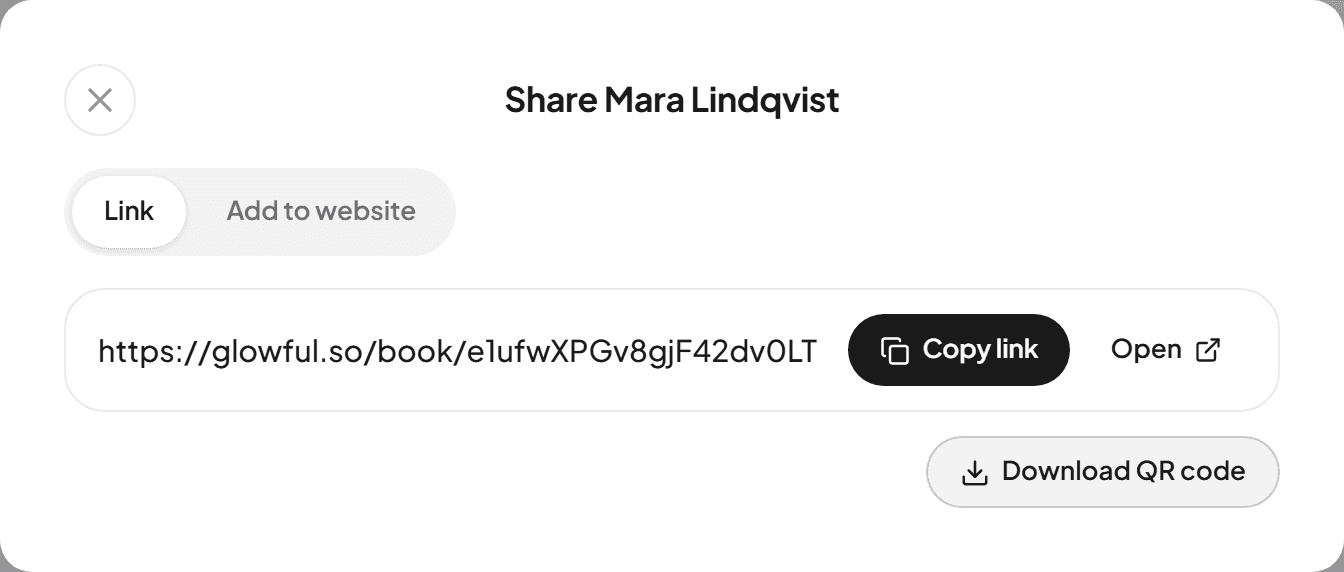
Share gives you the link, a QR code to download and code for your website. Here is how to put the link in your Instagram bio.
Decide who can book and when
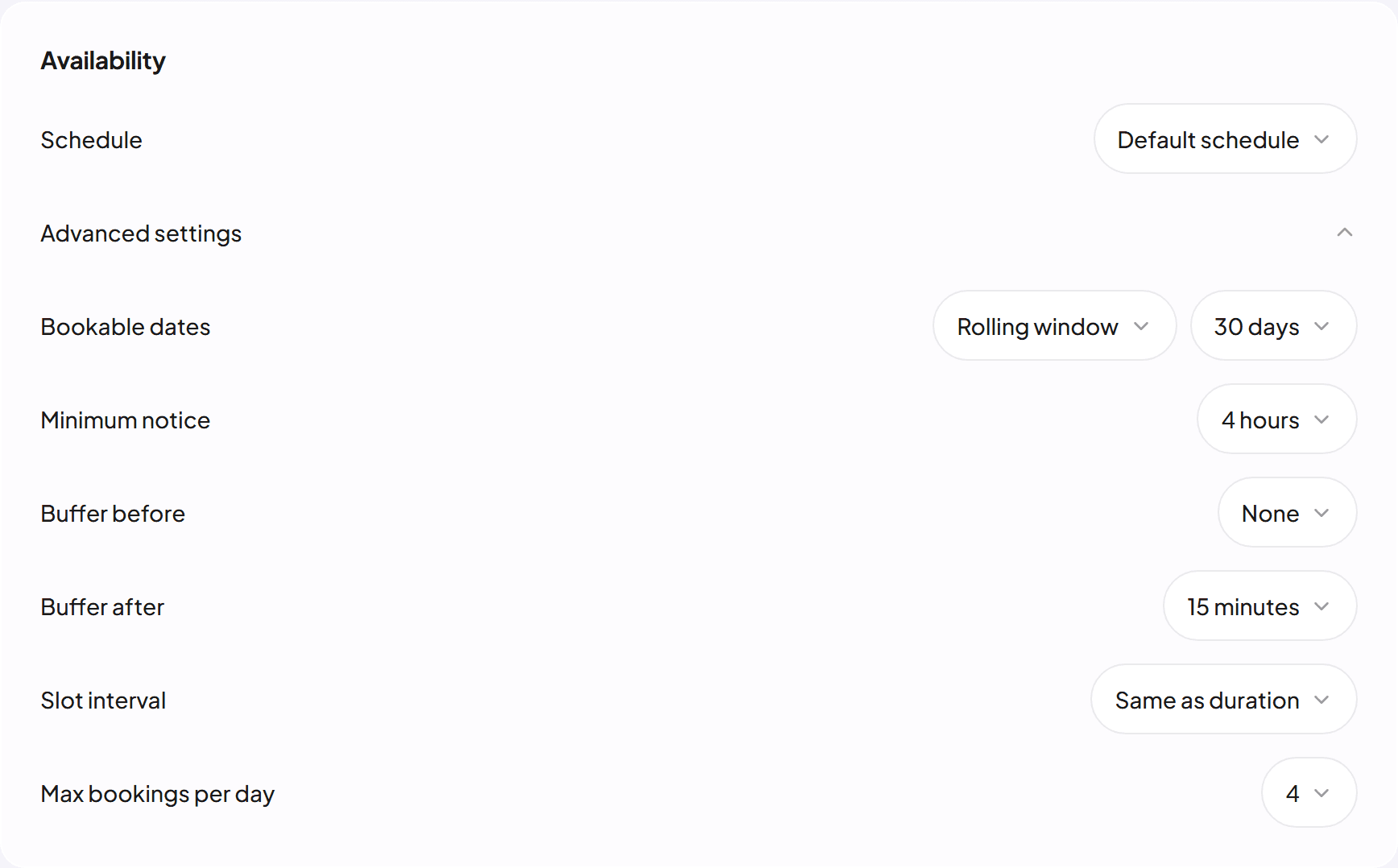
Each event type keeps its own rules, so a 15 minute intro and a 90 minute workshop can share one page.
Ask what you need before the call
Add up to 8 questions as short text, long text, a phone number or a list to pick from. Name and email are always asked.
Keep a busy day from filling up
Set a daily limit, a minimum notice such as 4 hours, and a buffer of up to an hour before or after each meeting.
Open only the dates you want
Take bookings for the next 7 to 90 days, between two fixed dates, or on any future date.
What happens after someone books
You
Connect Google Calendar and each meeting lands there with a Google Meet link, while busy times on the calendars you pick stay closed. An email brings you every answer.
The person booking
They see times in their own time zone and in their browser's language. The confirmation email carries a calendar file and a link to reschedule or cancel.
Questions
Is Glowful free?
Yes. Making a booking page, adding event types and taking bookings cost nothing, and there is no paid plan today.
Do people need an account to book?
No. Anyone with your link picks a time and types a name and email. They can move or cancel the meeting from the link in their confirmation email.
Does it work with Google Calendar?
Yes. Glowful checks the calendars you choose for busy times. Each booking goes into its own Glowful calendar in your Google account, so it never needs access to your other events.
Can I use Outlook or Apple Calendar?
Bookings reach them through a calendar feed: copy the feed address under Calendars and subscribe to it there. Busy times are checked only in Google Calendar.
Which languages does the booking page speak?
The page opens in the visitor's browser language, out of 34, including Spanish, Arabic and Japanese. Arabic, Persian and Urdu read right to left.